
Online Reputation Management Reseller: A Beginner’s Guide
March 11, 2025
How to Edit a Wikipedia Page Anonymously: Ethical Guide & Tips
July 29, 2025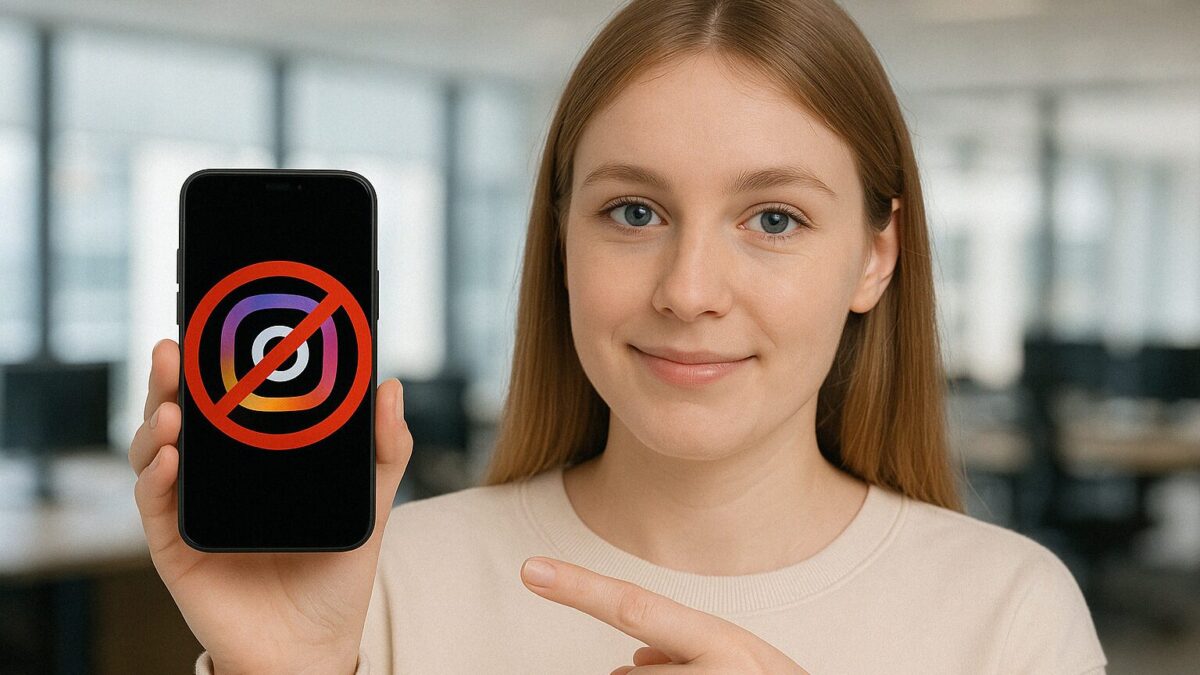
If your Instagram account has been disabled, you can usually get it back by submitting an appeal through Instagram’s official form, verifying your identity, and waiting for a manual review. The process takes anywhere from a few hours to several weeks depending on the reason for the ban and how you handle the appeal. Your followers, posts, and DMs stay intact while the account is in limbo, but the longer it stays disabled, the harder it becomes to recover your engagement once you are back.
This guide covers why Instagram disables accounts, how the appeal process actually works, what to do while you wait, and how to protect your account from getting flagged again.
Why Instagram Disables Accounts
Instagram disables accounts for a handful of specific reasons. Understanding which one applies to you shapes your entire recovery strategy.
Community guidelines violations
This is the most common trigger. Instagram’s automated systems scan for content that violates their policies on hate speech, nudity, harassment, intellectual property, and spam. The problem is that these systems are imperfect. Posts that fall into gray areas, like edgy humor, medical imagery, or even reposted news content, can trip the filter just as easily as genuinely harmful material.
You do not always get a warning first. Some violations result in content removal with a strike. Others skip straight to a full account disable, especially if the system detects multiple infractions in a short window.
Suspicious login activity
Logging in from a new country, switching between multiple devices rapidly, or using a VPN can make Instagram’s security system think your account has been compromised. The platform may disable access as a protective measure, locking you out while it waits for verification.
This happens more often to business accounts managed by teams, where multiple people log in from different locations throughout the day.
Third-party app violations
Automation tools, follower-growth bots, auto-DM services, and unapproved scheduling apps violate Instagram’s Terms of Service. Even if the tool claims to be safe, if it is not an official Instagram API partner, using it puts your account at risk.
Instagram periodically cracks down on these services in waves, disabling thousands of accounts that were connected to flagged apps. You might use a bot for months with no issue, then lose your account overnight when Instagram updates its detection.
Mass reporting
Competitors, disgruntled customers, or coordinated groups can mass-report your account. If enough reports come in within a short timeframe, Instagram’s automated system may disable the account for review before a human ever looks at it.
This is one of the most frustrating scenarios because the account owner did nothing wrong. The system prioritizes caution over accuracy, which means legitimate accounts sometimes get caught in the crossfire.
What Happens to Your Followers When Your Account Is Disabled
Your followers are not deleted when Instagram disables your account. Your profile goes into a suspended state where it is invisible to other users, hidden from search, and unreachable through direct messages. But the follower connections remain stored on Instagram’s servers.
When the account gets reinstated, those connections restore automatically. Your follower count, post history, saved content, and DM threads all come back exactly as they were.
The real risk is not losing followers technically. It is losing them practically. Every day your account stays offline, your audience drifts. They find competitors. They forget your brand. They unfollow inactive accounts during their own periodic cleanups.
Research from social media marketing firms consistently shows that accounts disabled for more than two weeks see a measurable drop in engagement rates even after recovery. The algorithm also deprioritizes accounts that have been inactive, so your first posts back may reach a smaller percentage of your audience than usual.
Speed matters. The faster you recover, the less damage you absorb.
How to Appeal a Disabled Instagram Account
The appeal process is straightforward, but the execution matters. Doing it wrong, or doing it too many times, can actually hurt your chances.
Step 1: Identify the type of disable
Check your email (including spam folders) for a message from Instagram or Meta explaining why the account was disabled. The message usually contains a link to appeal directly.
If you did not receive an email, open the Instagram app. Disabled accounts typically show a notification with an option to “Request Review” or “Learn More.” This screen tells you whether it was a community guidelines issue, a terms of service violation, or a security concern.
Step 2: Submit the official appeal
Use Instagram’s appeal form. You will need to provide your username, the email address linked to the account, and a brief explanation of why you believe the disable was a mistake.
Keep the explanation short, factual, and professional. Do not beg, threaten legal action, or write an essay. State what your account is (business type, purpose), acknowledge that you understand the guidelines, and explain why you believe the action was incorrect.
If Instagram asks for identity verification, submit a clear photo of a government-issued ID. Business accounts may need to provide additional documentation like business registration or utility bills matching the account name.
Step 3: Wait and do not resubmit
This is where most people make a critical mistake. They submit the appeal, hear nothing for 48 hours, and submit another one. Then another. Then another.
Each new submission pushes your case back in the queue. Instagram’s review system is not built for urgency. Flooding it with duplicate appeals signals impatience, not legitimacy.
Submit once. Wait at least 5 to 7 business days. If you hear nothing after that window, submit one follow-up appeal referencing your original submission date.
Step 4: Use alternative escalation paths
If the standard appeal process produces no response after two weeks, there are additional options.
Facebook Business Help Center can sometimes escalate Instagram issues, particularly for accounts connected to a Facebook Business Page or running paid ads. Accounts with active ad spend often receive faster support because there is a financial relationship with Meta.
Filing a complaint through your state’s attorney general office or consumer protection agency has produced results in documented cases. Meta responds to official regulatory inquiries with more urgency than individual appeals.
For businesses that depend on their Instagram presence for revenue, professional reputation management services that specialize in account recovery can navigate internal escalation channels that are not available to individual users.
What Not to Do During the Recovery Process
Certain actions during the recovery period can reduce your chances of getting the account back or create new problems.
Do not create a replacement account. Instagram’s systems detect duplicate accounts using device fingerprinting, IP addresses, and behavioral patterns. A new account with similar content, the same bio link, or the same device can get flagged immediately, and it can also complicate the recovery of your original account.
Do not use third-party “unban” services that promise guaranteed results. Many of these services are scams that collect your personal information and payment without delivering anything. Legitimate recovery assistance exists, but anyone guaranteeing a specific outcome or timeline is making promises they cannot keep.
Do not change the email or phone number associated with the account. If you still have access to account settings (some disables allow limited access), leave everything as it is. Changing contact information during an active review raises security flags.
Do not post about the ban publicly in ways that pressure Instagram. While raising awareness on other platforms is understandable, aggressive public campaigns sometimes backfire. Focus your energy on the formal appeals process.
How to Rebuild Engagement After Recovery
Getting the account back is step one. Rebuilding your reach and engagement is step two, and it requires a deliberate approach.
Post within the first 24 hours of recovery. The algorithm needs fresh activity signals to start showing your content again. A story, a reel, and a feed post within the first day tells Instagram’s system that the account is active and ready for distribution.
Address the gap directly with your audience. A simple post explaining that you were temporarily locked out and are now back builds trust and encourages re-engagement. People respond to transparency, and the comments and shares from this type of post help your algorithmic standing.
Engage heavily for the first week. Reply to every comment. Respond to DMs. Like and comment on posts from accounts in your niche. This manual engagement signals activity to the algorithm and reconnects you with the community.
Avoid aggressive growth tactics immediately after recovery. Your account is in a probationary state even if Instagram does not officially call it that. Running automation tools, buying followers, or doing anything that previously caused issues would be particularly risky in the weeks following reinstatement.
Review your content strategy through the lens of what triggered the original disable. If it was a content violation, audit your recent posts for anything that could be borderline. If it was a third-party app, disconnect every unauthorized integration immediately. The strategies that successful reputation campaigns use for rebuilding trust online apply just as well to recovering a social media presence.
How to Prevent Future Account Disables
Prevention is cheaper than recovery in every possible way. These practices significantly reduce the risk of another disable.
Use only Meta-approved tools. Check the official Meta Business Partners directory before connecting any third-party app. If a tool is not listed there, assume it carries risk.
Enable two-factor authentication. This protects against unauthorized access and gives Instagram a stronger signal that you are a legitimate account owner. It also makes the recovery process faster if something does go wrong, because you have an additional verification layer already in place.
Monitor your account status regularly. Instagram’s Account Status dashboard (Settings > Account > Account Status) shows any active violations, warnings, or restrictions. Checking this monthly catches problems before they escalate to a full disable.
Keep login locations consistent. If you have a team managing the account, use a shared device or a Meta-approved management platform rather than having multiple people log in from personal devices across different locations.
Audit your hashtag usage. Instagram periodically bans or restricts specific hashtags. Using a restricted hashtag can reduce your reach or trigger a review. Third-party hashtag research tools can flag problematic tags before you post.
Build your audience on multiple platforms. This is not a prevention tactic for Instagram specifically, but it protects your business. If your entire customer base lives on one platform, a single account disable threatens your revenue stream. Maintaining an email list, a website presence, and profiles on other platforms like Google search results creates resilience that no single platform can take away.
Business Accounts vs. Personal Accounts: Does Recovery Differ?
Business accounts generally have a slight advantage in the recovery process for one reason: they are more likely to have a relationship with Meta through advertising.
Accounts that have spent money on Instagram ads or Facebook ads have access to Meta Business Support, which provides a direct communication channel that personal accounts do not get. This support channel can sometimes expedite reviews or escalate cases that are stuck in the standard queue.
Business accounts also benefit from having more documentation available. Business registration papers, tax documents, and official correspondence serve as strong identity verification during the appeals process.
That said, the fundamental process is the same for both account types. Submit an appeal, verify your identity, wait for review. The timeline and the outcome depend on the nature of the violation, not the account type.
According to Instagram’s official appeal process, all disabled accounts go through the same review pipeline regardless of their designation.
FAQ
Q: How long does it take to recover a disabled Instagram account?
Most appeals receive an initial response within 1 to 7 business days. Simple cases like security locks often resolve within 24 to 48 hours. More complex situations involving content violations or identity verification can take 2 to 4 weeks. Some cases drag on longer if they require multiple rounds of documentation.
Q: Will I lose my followers if my Instagram account is disabled?
No. Your followers, posts, DMs, and saved content are preserved while the account is in disabled status. Everything restores automatically upon reinstatement. The practical risk is engagement decay from being offline too long, not actual follower deletion.
Q: Can I create a new account while my original is disabled?
You can, but it is risky. Instagram detects duplicate accounts through device fingerprints, IP addresses, and content similarity. A new account could get flagged, and its existence may complicate the recovery of your original account. The safer approach is to wait for the appeal process to play out.
Q: What if Instagram never responds to my appeal?
If you have not heard back after two weeks, submit one follow-up appeal referencing your original submission date. If there is still no response, explore alternative channels like Facebook Business Help Center (for business accounts), filing a consumer protection complaint, or consulting a professional service that handles account recovery escalations.
Q: Can a disabled Instagram account be permanently deleted?
Yes. Instagram states that disabled accounts that are not appealed within a certain timeframe may be permanently removed. The exact timeline varies, but most reports suggest you have roughly 30 days from the disable date to initiate an appeal. Acting quickly is always better than waiting.
Q: Does running Instagram ads protect my account from being disabled?
Not directly. Having an active ad account does not make you immune to disables. But it does give you access to Meta Business Support, which can be a faster escalation path if your account does get flagged. Accounts with significant ad spend sometimes receive more responsive support, though Meta does not officially confirm this distinction.